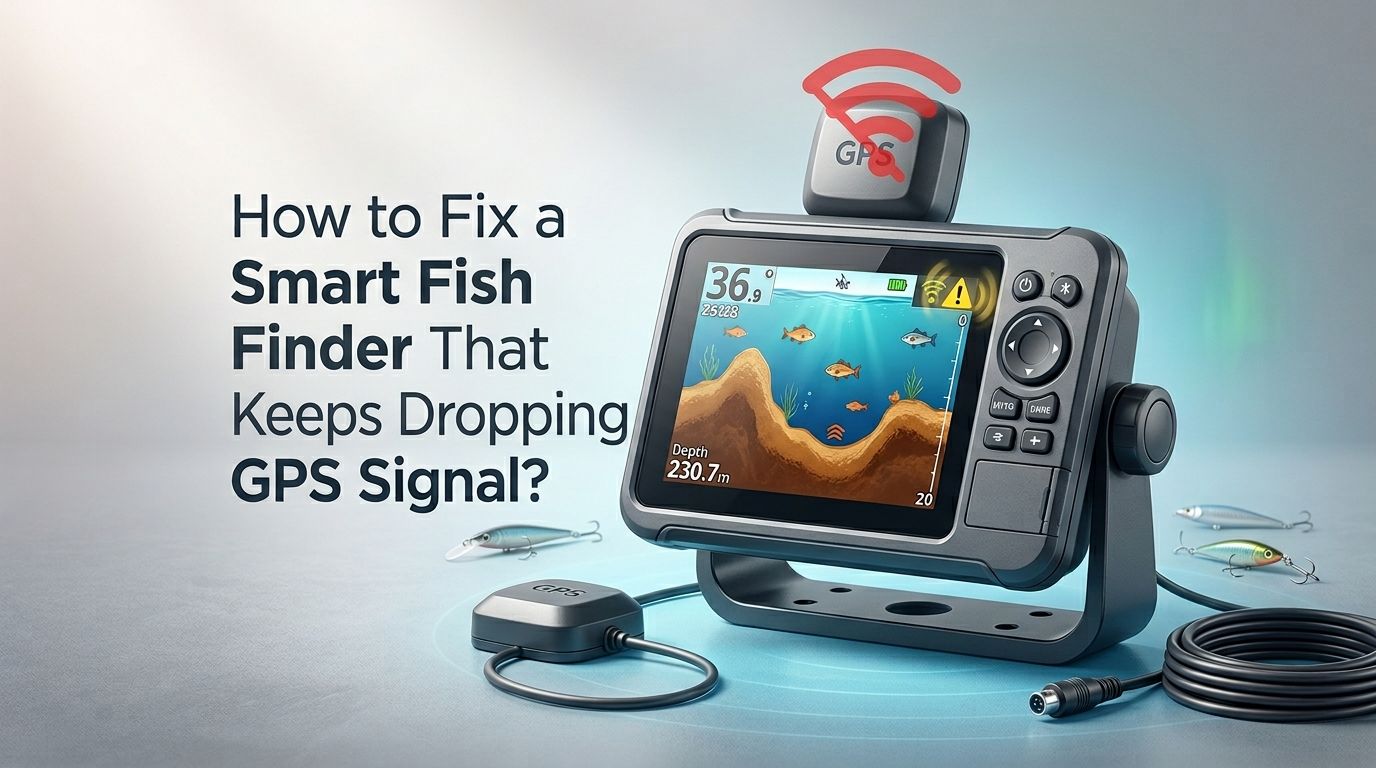
How to Fix a Smart Fish Finder That Keeps Dropping GPS Signal?
You are out on the water, tracking a school of fish, and your smart fish finder suddenly loses its GPS signal. The screen goes blank or shows an inaccurate position. Your fishing trip is now a guessing game. This is a frustrating problem that thousands of anglers face every season.
A dropping GPS signal on your fish finder can ruin an otherwise perfect day on the water. You lose your waypoints. You lose your trail. You lose track of the structure you were marking. Worst of all, you might lose the fish you spent hours locating.
The good news is that most GPS signal drops on smart fish finders have fixable causes. The problem usually comes down to hardware placement, software settings, interference, or connection issues. You do not need to be a tech expert to solve most of these problems.
In a Nutshell
- Check your GPS antenna placement first. A poorly positioned antenna is the number one reason fish finders drop GPS signal. The antenna needs a clear, unobstructed view of the sky. Mounting it under a hardtop, near tall structures, or close to metal objects will block satellite signals and cause frequent dropouts.
- Update your fish finder’s software regularly. Manufacturers release firmware updates that fix GPS bugs and improve satellite acquisition. Running outdated software is a common and easily fixable cause of signal loss.
- Inspect all cables and connections for damage. Corroded connectors, loose plugs, and frayed wires create intermittent signal loss. Saltwater environments are especially harsh on wiring, so physical inspection should be part of your routine maintenance.
- Reduce electronic interference on your boat. Other devices like VHF radios, trolling motors, and chartplotters can interfere with GPS reception. Proper wire routing and separation of electronics can eliminate this problem.
- Consider an external GPS antenna if internal fixes fail. An external antenna gives you stronger, more reliable satellite reception. This is often the best long term solution for boats with enclosed helms or heavy electronic setups.
- Factory reset as a last resort. If software glitches persist after updates, a full factory reset can clear corrupted data and restore proper GPS function. Always back up your waypoints and settings before doing this.
Understanding Why Your Fish Finder Drops GPS Signal
Your smart fish finder relies on signals from multiple GPS satellites to determine your exact position on the water. A minimum of four satellites is needed for an accurate 3D fix. The GPS receiver inside your fish finder picks up these weak signals from space and calculates your location, speed, and heading.
Signal drops happen when something interrupts this communication. The causes range from physical obstructions and poor antenna placement to software bugs and electrical interference. Some fish finders use internal GPS antennas, while others use external pucks. Both types can experience signal loss, but for different reasons.
Understanding the root cause is the first step. A random, occasional dropout might be a satellite coverage issue. A frequent or consistent dropout points to a hardware or installation problem on your boat. Knowing this difference will save you hours of frustration and help you pick the right fix from this guide.
Check Your GPS Antenna Placement
The single most common cause of GPS signal dropout is poor antenna placement. Your GPS antenna or puck needs a clear, unobstructed view of the sky in all directions. Any physical barrier between the antenna and the satellites will weaken or block the signal entirely.
Avoid mounting the antenna under a hardtop, T top, or any metal canopy. Metal reflects and absorbs GPS signals. Even fiberglass can reduce signal strength slightly, though many anglers mount antennas under thin fiberglass successfully. The ideal location is on top of the highest, most open surface on your boat.
Keep the antenna away from tall radar arches, outriggers, and other vertical structures. These create shadow zones where satellite signals cannot reach. Also make sure the antenna sits flat and level. A tilted antenna receives signals unevenly and can lose lock during turns or in rough water.
Pros of repositioning your antenna: Free solution, often fixes the problem immediately, improves overall GPS accuracy.
Cons: May require drilling new mounting holes, could expose the antenna to more weather and spray.
Inspect Cables and Connections for Damage
Corroded, loose, or damaged cables cause intermittent GPS signal loss. This is especially common on saltwater boats where moisture and salt attack exposed connectors over time. A connection that looks fine on the outside may have corrosion inside the plug.
Unplug each connector in the GPS antenna circuit and inspect it carefully. Look for green or white buildup on the metal pins. Check for bent pins, cracked housings, or water intrusion. A single corroded pin can cause the signal to drop in and out unpredictably.
Also check the cable itself along its entire run. Look for kinks, cuts, or spots where the cable has been pinched by a hatch or seat mount. Damaged shielding on the cable allows electrical noise to enter and disrupt the GPS signal. Replace any cable that shows visible damage.
Pros of cable inspection: Low cost fix, prevents future problems, improves reliability of all connected electronics.
Cons: Time consuming to trace full cable runs, may require removing panels or trim to access wiring.
Update Your Fish Finder’s Firmware
Outdated firmware is a proven cause of GPS signal problems across all major brands. Garmin, Lowrance, Humminbird, and Simrad all release periodic software updates that address GPS acquisition bugs, satellite database updates, and signal processing improvements.
Visit your manufacturer’s official website and check the latest firmware version for your specific model. Compare it to the version currently running on your unit. You can usually find your current firmware version in the System or About menu. If an update is available, download it to a microSD card and follow the manufacturer’s instructions to install it.
Some anglers have reported that a specific firmware update actually caused their GPS problems. If your signal drops started right after an update, check online forums for reports from other users. A rollback or a newer patch may be available.
Pros of firmware updates: Free, often fixes the exact bug causing your problem, can add new features.
Cons: Incorrect installation can brick your device, some updates introduce new bugs, requires a computer and microSD card.
Address Low Voltage and Power Supply Issues
Your fish finder needs stable, clean 12V power to operate correctly. Low voltage is a sneaky cause of GPS signal loss that many anglers overlook. When voltage drops below about 10.8 volts, the GPS module may shut down or reset repeatedly, causing intermittent signal loss.
Use a multimeter to check the voltage at your fish finder’s power connection while the unit is running. Do not just measure at the battery. Voltage can drop significantly along thin gauge wires or through corroded connections. You should see at least 12.0 volts under load at the unit itself.
Common causes of voltage drop include undersized wiring, long wire runs, shared circuits with high draw devices, and aging batteries. The fix is often as simple as upgrading to a heavier gauge wire or running a dedicated circuit from the battery to your fish finder with an inline fuse.
Pros of fixing power supply: Eliminates erratic behavior across all features, extends the life of your electronics.
Cons: May require rewiring, battery upgrades can be expensive, troubleshooting takes time.
Reduce Electronic Interference on Your Boat
Other electronic devices on your boat can produce electromagnetic interference (EMI) that disrupts GPS reception. Trolling motors are the most common culprit, especially models with variable speed controllers. VHF radios, LED lights, bilge pumps, and even phone chargers can also generate interference.
The first step is to identify the source. Turn off all electronics except the fish finder and see if the GPS signal stabilizes. Then turn devices back on one at a time. When the signal drops again, you have found your source of interference.
Once you identify the problem device, separate its wiring from the fish finder’s cables. Keep power wires and data cables at least 12 inches apart. Adding ferrite chokes to the power cable of the interfering device can also filter out EMI. These are inexpensive clip on rings that absorb high frequency noise.
Pros of reducing interference: Improves performance of all electronics, usually inexpensive to fix.
Cons: Identifying the exact source takes patience, some interference sources cannot be fully eliminated.
Install an External GPS Antenna
If your fish finder has a built in internal GPS antenna and you still experience signal drops after trying other fixes, an external GPS antenna is often the best solution. External antennas can be mounted in optimal positions with clear sky views, far from interference sources.
Most major brands sell compatible external GPS pucks or heading sensors. Humminbird offers the AS GPS HS, Garmin offers the GPS 24xd, and Lowrance offers the Point 1. These units connect to your fish finder through the accessory port and override the internal GPS module.
Mount the external antenna on the highest point of your boat with 360 degree sky visibility. Secure it flat and level. Route the cable away from other electronics and power wires. An external antenna typically acquires satellites faster and holds the signal much more reliably than an internal one.
Pros of external antennas: Best long term fix, dramatically improves accuracy and reliability, often adds heading sensor capability.
Cons: Additional purchase required, requires mounting and wiring, adds another component to maintain.
Perform a Factory Reset on Your Fish Finder
When software glitches persist despite firmware updates, a factory reset can clear corrupted settings and restore proper GPS function. This wipes all user settings, waypoints, routes, and saved data, so it should be your last software based option.
Before resetting, back up all your waypoints and routes to a microSD card. Most fish finders have an export or backup function in the navigation or files menu. Confirm the backup file saved correctly before proceeding.
The reset process varies by brand. On most Garmin units, go to Settings, System, then Factory Reset. On Humminbird, you can hold specific buttons during startup. On Lowrance, check the Files menu for a reset option. After the reset, the unit will boot up like new. Reconfigure your settings and test GPS reception before restoring your saved data.
Pros of factory reset: Clears all software corruption, free to do, often solves persistent bugs.
Cons: Erases all saved data, requires reconfiguration, does not fix hardware problems.
Check for Satellite Constellation Issues
Sometimes the problem is not your equipment at all. GPS satellite coverage varies by time and location. While the GPS constellation is highly reliable, scheduled maintenance, orbital adjustments, or atmospheric conditions can temporarily reduce the number of available satellites in your area.
You can check satellite status pages online before heading out. The U.S. government publishes GPS constellation health reports, and several free apps show real time satellite positions for your location. If only a few satellites are visible in your area, signal drops and reduced accuracy are expected.
Dense cloud cover alone does not block GPS signals. However, heavy tree canopy along shorelines or fishing in deep canyons and under bridges can block satellite signals. If you consistently lose signal in the same spot, the location itself may be the problem.
Pros of checking satellite status: Quick and free, helps you rule out equipment problems.
Cons: You cannot fix satellite issues yourself, may need to change your fishing schedule or location.
Use WAAS and GLONASS Settings Correctly
Most modern fish finders can receive signals from multiple satellite systems beyond standard GPS. WAAS (Wide Area Augmentation System) improves accuracy in North America. GLONASS is the Russian satellite system that adds more available satellites to your fix.
Check your fish finder’s settings menu for GPS configuration options. Make sure WAAS is enabled if you fish in North America. Enable GLONASS or Galileo reception if your unit supports it. Using multiple satellite systems gives your receiver more satellites to work with, which means a stronger, more stable position fix.
Some older units may slow down slightly when processing multiple satellite systems. If your unit struggles with performance after enabling GLONASS, try running GPS plus WAAS only. Test different configurations on the water to find the best balance of speed and accuracy for your specific unit.
Pros of enabling multi system reception: More satellites equals stronger signal, free setting change, improves accuracy.
Cons: Can slow older units, some models do not support GLONASS, may slightly increase power consumption.
Protect Your Equipment From Heat and Sun Exposure
Excessive heat can cause GPS modules to malfunction. Fish finders mounted in direct sunlight on a center console can reach internal temperatures that cause the GPS chip to lose its lock. This is a common warm weather complaint across all major brands.
Provide shade for your fish finder during hot days. A simple sun cover or visor can drop the temperature significantly. If your unit has a flush mount installation in a dark colored dash, heat buildup is even worse. Consider adding ventilation behind the unit or relocating it to a shaded area.
The external GPS antenna puck can also overheat if mounted on a dark surface in direct sun. White or light colored mounting surfaces reflect heat better. Some anglers add a small heat shield beneath the puck to reduce temperature transfer from the mounting surface.
Pros of heat protection: Prevents overheating related failures, extends equipment life, inexpensive.
Cons: Covers and visors can obstruct the screen, may require relocation of equipment.
Test With a Known Good Unit
If you have tried every fix and your GPS signal still drops, the GPS module inside your fish finder may be defective. Internal GPS chips do fail, especially after years of vibration, moisture exposure, and temperature cycling on a boat.
The best way to confirm a hardware failure is to test a known good unit in the same location with the same power source. Borrow a friend’s fish finder or bring a handheld GPS to compare. If the replacement unit holds a solid fix while yours drops out, the problem is confirmed as internal hardware failure.
Contact your manufacturer’s support team and describe the issue along with all the troubleshooting steps you have already completed. If your unit is still under warranty, they will often repair or replace it. Out of warranty units may still be repairable, or an external GPS antenna may be a more cost effective solution than a full replacement.
Pros of hardware testing: Gives you a definitive answer, helps with warranty claims.
Cons: Requires access to a second unit, does not fix the problem by itself.
Prevent Future GPS Signal Problems
Once you fix your GPS signal issue, take steps to prevent it from happening again. Good maintenance and smart installation practices will keep your fish finder running reliably for years.
Create a pre season checklist. Inspect all connections for corrosion. Check cable routing for chafe points. Update firmware before your first trip. Test GPS reception at the dock before heading offshore. These five minutes of preparation can save hours of frustration on the water.
Invest in quality marine grade connections and heat shrink on all wire splices. Use dielectric grease on every plug to prevent corrosion. Secure all cables with proper marine cable ties and keep them away from other power wires. Store your fish finder in a dry, cool place during the off season with the power disconnected.
Pros of preventive maintenance: Avoids future problems, saves money long term, keeps all electronics reliable.
Cons: Requires time and discipline, small upfront cost for supplies.
Frequently Asked Questions
Why does my fish finder lose GPS signal only at high speed?
At high speed, your boat creates more vibration and may flex in ways that loosen connections. The antenna or puck can also shift slightly if not secured properly. Check all mounting hardware and tighten any loose screws. Also verify that your power supply maintains adequate voltage under the higher electrical load at speed.
Can my phone interfere with my fish finder’s GPS signal?
A phone placed directly on top of or right next to a GPS antenna could cause minor interference, but this is rare. The more common issue is Bluetooth or Wi Fi signals from the phone creating noise on shared circuits. Keep your phone at least a few inches from the GPS antenna and see if the problem improves.
How many satellites does my fish finder need for a good fix?
Your fish finder needs a minimum of four satellites for a reliable 3D position fix that includes latitude, longitude, and altitude. More satellites provide better accuracy and more stable signal. Most modern units will track 12 or more satellites simultaneously in open conditions.
Should I use an external GPS antenna on a kayak or small boat?
Small boats and kayaks often do well with internal GPS antennas because there are fewer obstructions and less electronic interference. However, if you mount your fish finder low in the cockpit or under a spray shield, an external antenna mounted higher up can provide a significant improvement in signal reliability.
How often should I update my fish finder’s firmware?
Check for firmware updates at least once before each fishing season. Major manufacturers typically release one to three updates per year. Always read the release notes before installing to understand what the update changes. If your unit is working perfectly, some anglers prefer to wait and let others test new firmware before installing it.
Does weather affect GPS signal on a fish finder?
Normal rain, clouds, and wind do not significantly affect GPS signals. However, severe thunderstorms with heavy atmospheric disturbance can temporarily reduce GPS accuracy. Solar storms and geomagnetic events can also impact satellite signals, though this is uncommon. If you lose signal only during storms, the issue is more likely water intrusion into a connector than atmospheric interference.

Hi, I’m Ivy Webb, the passionate angler and creator behind BaitHookVault.com. I spend my days out on the water personally testing and reviewing a wide variety of fishing tools and gear.